EN



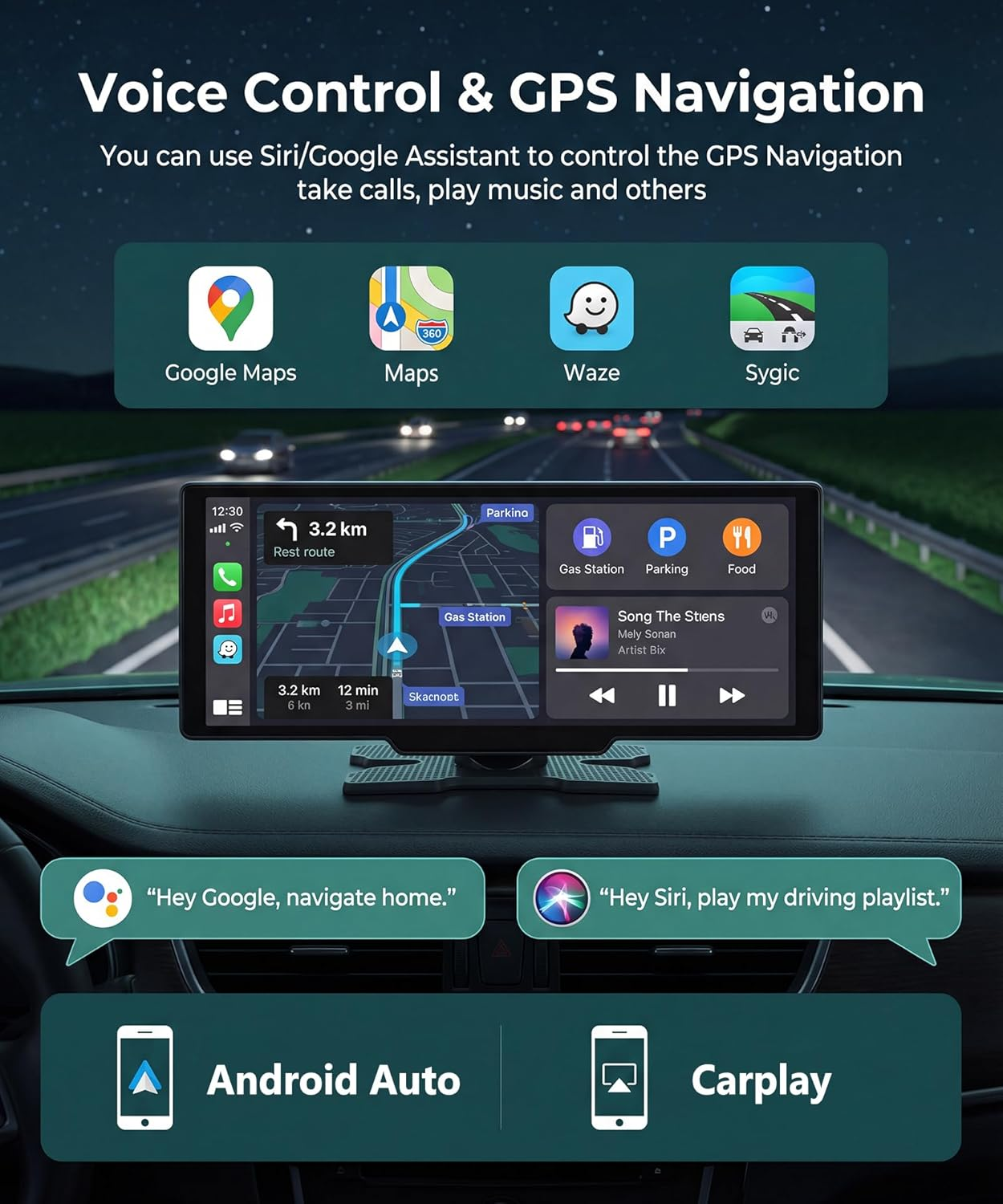
Drivers choose android carplay to bring familiar smartphone functions into the vehicle and make everyday trips easier to manage. Navigation, calls, messages, and audio can be available through a connected display, reducing the need to handle a phone while driving. For many drivers, android carplay offers a practical way to make an older or basic dashboard feel more connected without changing how they use their phone. Its value comes from combining several routine tasks in one accessible interface, not from adding technology for its own sake.
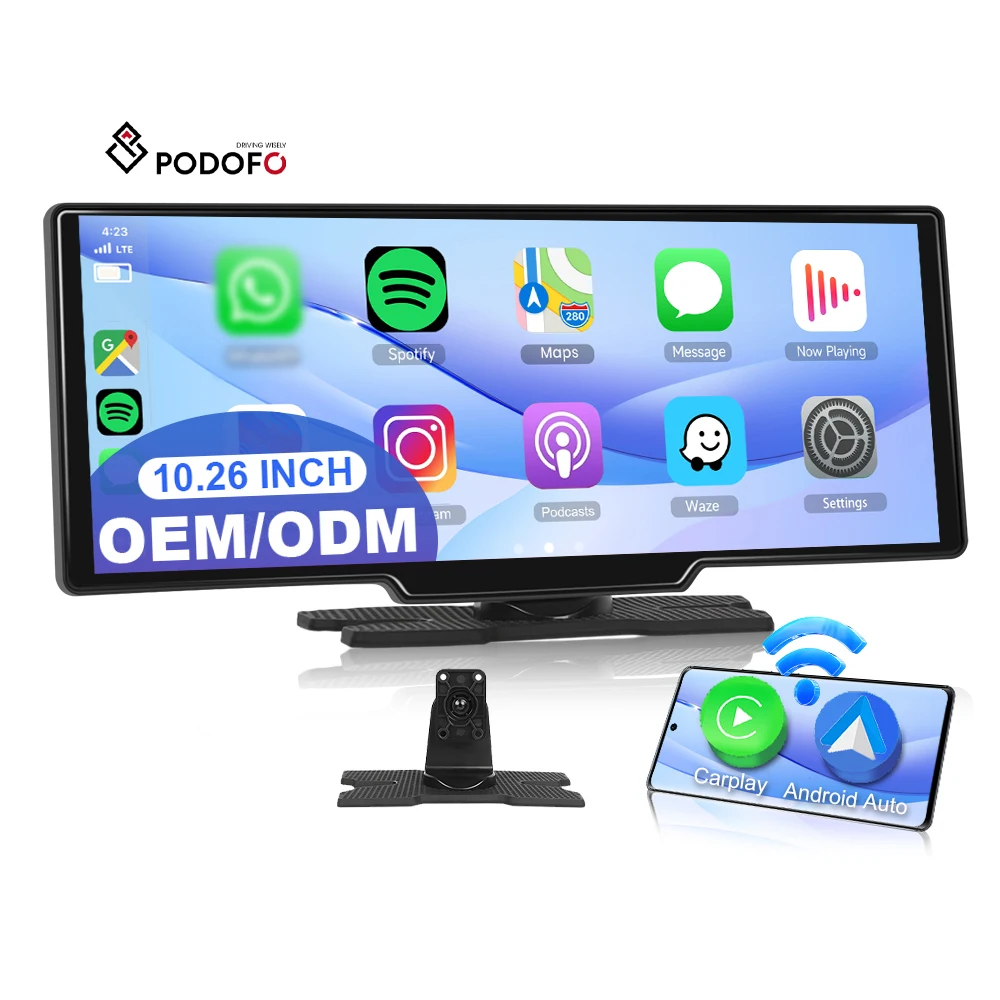
The appeal of android carplay is especially clear when a driver switches between navigation, music, and communication during a busy day. Rather than balancing a phone in a holder and tapping through separate apps, drivers can access compatible functions from the vehicle display or voice controls. Android carplay can also suit vehicles whose factory systems lack current connectivity features. Understanding why drivers prefer this approach helps buyers assess convenience, compatibility, and the trade-offs before choosing an installation.
Everyday convenience drives adoption
Familiar apps reduce friction
A major reason drivers value android carplay is familiarity. The phone already holds preferred maps, playlists, contacts, and settings, so connecting it can make the vehicle interface feel less like a separate system. With android carplay, drivers can use supported apps without learning an entirely different set of menus. That continuity matters to people who drive several vehicles or regularly change between personal and work travel.
Familiarity also helps make routine journeys more predictable. A driver may start a route before leaving, continue listening to a podcast, or place a call using a known contact list. Android carplay brings these tasks into a driving-focused display, where controls are designed for quick access. It does not remove the need for attention, but it can reduce the temptation to search through a handheld phone while the vehicle is moving.
Navigation and communication work together
Navigation is often the first feature that attracts interest in android carplay. Map guidance can appear on a larger screen, with route changes and traffic information available through compatible applications. This can be useful for field technicians, sales teams, and other employees who travel between unfamiliar sites. Android carplay also gives drivers a convenient way to hear directions while keeping their hands on the wheel and their attention on the road.
Communication adds another layer of everyday utility. Depending on the phone, vehicle, and software, android carplay may support voice-initiated calls, message announcements, or spoken replies. That can help a driver keep up with essential work coordination without handling the phone directly. Organizations should still set clear expectations about driver availability, because connected access does not make every message urgent or appropriate to answer during a trip.
Connected media and controls improve the cabin experience
Audio access fits varied journeys
Drivers also choose android carplay because it makes audio easier to manage. Music, podcasts, and other compatible services can be reached from one interface, giving users more control over what they hear on short commutes and long routes. Android carplay can make a vehicle feel more personalized, since the audio choices travel with the phone rather than depending only on preset radio stations or stored media.
For commercial drivers, convenient audio is not just entertainment; it can support a more comfortable workday. A familiar playlist or spoken program may make repetitive travel feel less monotonous, though drivers must keep volume and attention appropriate to road conditions. Android carplay can combine media selection with navigation prompts, allowing drivers to move between tasks without repeatedly switching devices. Actual features depend on the app, phone, and system configuration.
Voice interaction can limit manual handling
Voice commands are another reason android carplay attracts drivers who want to keep phone use more controlled. A compatible system may allow a user to request a route, call a contact, or select audio by speaking. Android carplay voice support varies by device and setup, so buyers should confirm which commands work in their vehicle. Even when voice features are available, drivers should use them only when they can do so safely.
The interface can also help consolidate controls that otherwise sit across multiple screens. Drivers considering an add-on display can review this android carplay option as one example of a portable connectivity approach. Android carplay is most useful when controls are easy to reach, screen placement does not obstruct visibility, and audio routing works as expected. Those practical details shape the experience as much as the available apps.
Compatibility and safe setup determine real value
Check the phone, vehicle, and connection
The benefits of android carplay depend on compatibility, so drivers should check the phone operating system and the intended connection method first. Some setups require a cable, while others support wireless pairing; availability is determined by the specific equipment. Android carplay buyers should also confirm how the system handles Bluetooth, Wi-Fi, audio output, and startup. A short compatibility review can prevent disappointment after installation.
Vehicle layout matters too. Before selecting android carplay equipment, consider dashboard space, power access, mounting stability, and whether the screen could block a vent or important sightline. In fleet settings, check how the setup will work across different vehicle types and whether employees can connect their phones without lengthy instructions. Android carplay provides the most consistent value when the physical installation and everyday connection process fit the actual work environment.
Safety and maintenance shape long-term satisfaction
Connectivity should support safer habits, not encourage distraction. Drivers using android carplay should configure routes and media before moving, rely on voice interaction only when suitable, and stop in a safe location for tasks that require visual attention. Employers can reinforce these practices through clear policies and driver training. Android carplay does not replace responsible driving or guarantee that every notification is safe to handle on the road.
Long-term satisfaction also depends on keeping software and settings organized. Drivers can remove rarely used apps, review notification preferences, and test audio and pairing after updates. Android carplay may behave differently after a phone or vehicle system change, so a quick check before a demanding route is sensible. When drivers understand the setup and its limits, android carplay can remain a useful daily interface rather than another source of troubleshooting.
FAQ
Why are drivers choosing android carplay?
Drivers choose android carplay for convenient access to compatible navigation, calls, messages, and audio through a vehicle-focused interface. Its appeal is strongest when it works smoothly with their existing phone and driving routine.
Does android carplay work in every vehicle?
No. Android carplay availability depends on the phone, vehicle system, and any added equipment. Check operating-system requirements, connection options, mounting needs, and audio compatibility before purchasing or installing a system.
Can android carplay prevent distracted driving?
It can make some phone functions easier to access through voice controls and a driving-focused display, but it cannot prevent distraction by itself. Drivers should set up tasks before travel and avoid handling complex interactions while moving.