EN



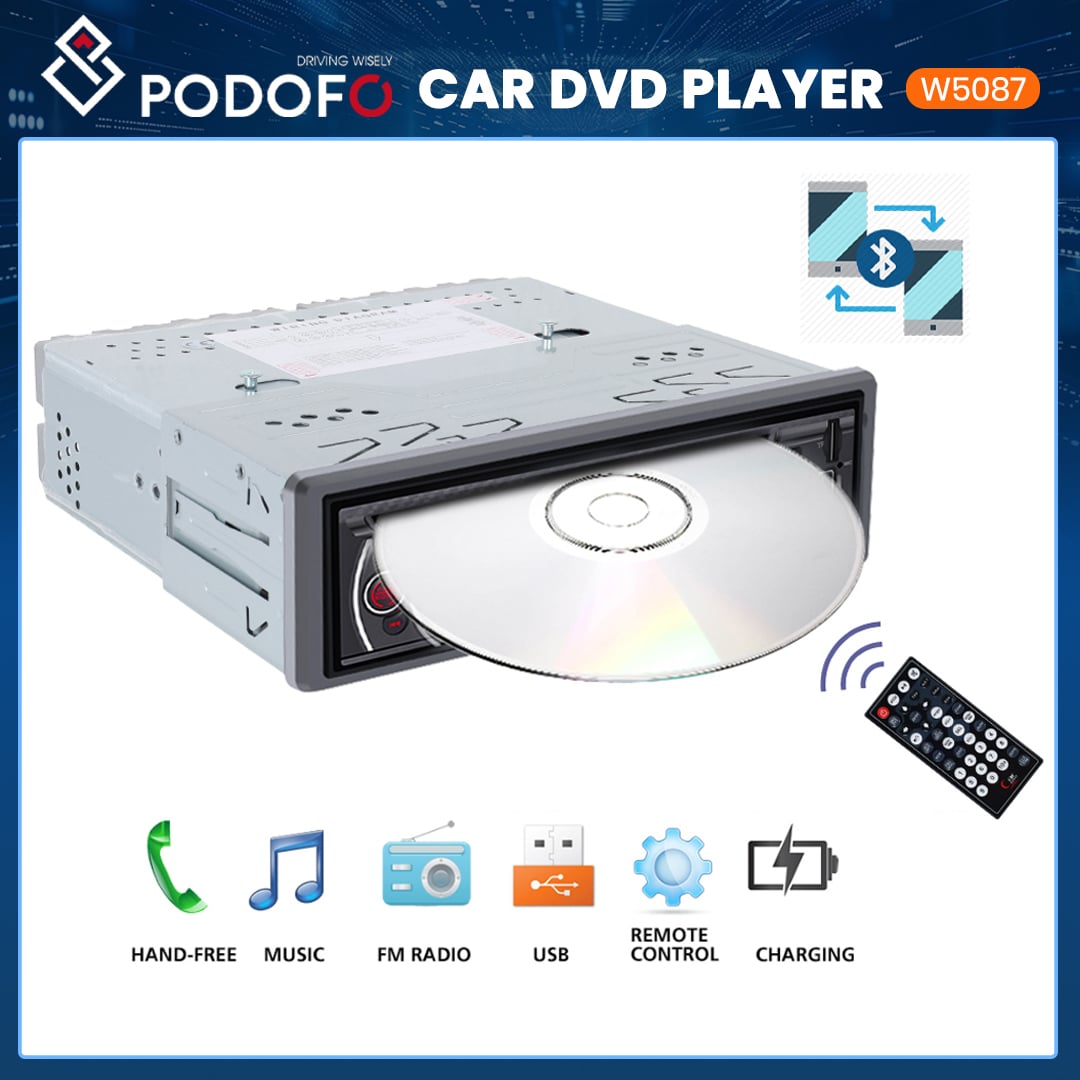
A car dvd player supports multimedia entertainment by bringing video and audio sources into a vehicle’s cabin, where passengers can enjoy suitable content during a journey. Its value comes from more than playing discs: a car dvd player can connect with screens, speakers, and compatible devices, helping organize entertainment around the vehicle and the trip.
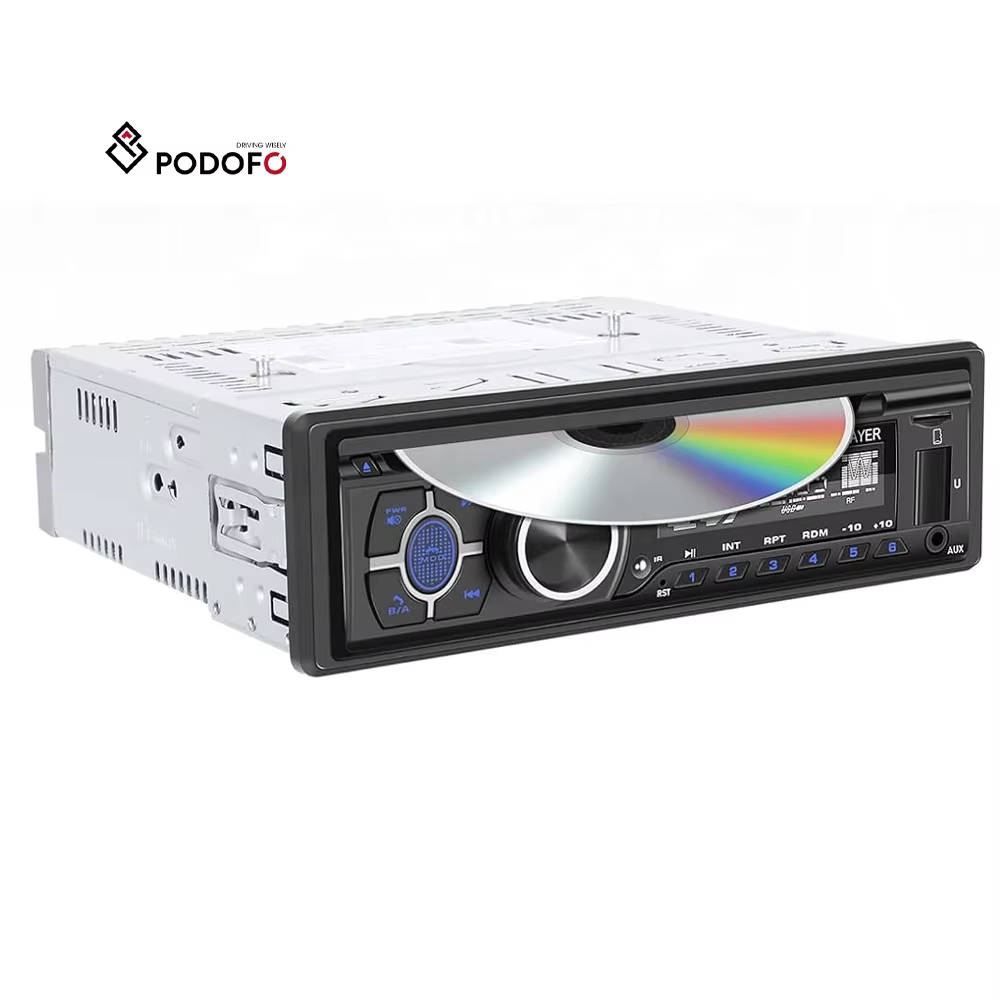
The experience depends on the unit’s inputs, display arrangement, audio routing, and control layout. Understanding how a car dvd player handles those elements helps drivers and fleet decision-makers judge whether it suits their passengers, existing equipment, and day-to-day use. The key is to treat entertainment as a coordinated system rather than a single playback feature.
How playback supports different media
Disc playback and digital sources
A car dvd player is designed to read compatible video discs and send their audio and picture to the appropriate vehicle components. That familiar format can be useful when passengers already have a disc library or want playback that does not depend on mobile data. Before choosing a car dvd player, confirm supported disc formats and whether its outputs match the screens you plan to use.
Many journeys also call for digital media, so a car dvd player may include connections for removable storage or external devices. The available options vary by model, and compatibility should be checked rather than assumed. When a car dvd player accepts more than one source, passengers can switch between physical media and supported files without making the entertainment setup revolve around one format.
Matching content to screens and passengers
A car dvd player can serve a built-in display, a connected monitor, or a compatible aftermarket screen, depending on its design. Screen placement affects who can see the picture and how comfortably passengers can follow it. Planning around seating positions makes a car dvd player more useful, especially in vehicles where rear passengers need a different viewing arrangement from the front occupants.
The display itself is only one part of playback quality. A car dvd player should be configured so the video signal, aspect ratio, and screen capabilities work together, avoiding a stretched picture or an unusable connection. For shared travel, a car dvd player also benefits from simple source selection, allowing passengers to understand what is playing without repeated setup changes.
How audio and connectivity expand entertainment
Routing sound through the cabin
A car dvd player supports multimedia by sending sound through a compatible speaker system, headphones, or another supported output. The right route depends on passenger preferences, cabin layout, and the way the vehicle audio system accepts external input. Checking connections in advance helps a car dvd player deliver clear, convenient listening without requiring unnecessary changes to the vehicle’s existing setup.
Audio control matters as much as source compatibility. A car dvd player should let users adjust playback at an appropriate level while keeping the driver focused on the road. In a family vehicle, separate listening options may help passengers enjoy a film without dominating cabin audio. A car dvd player is most practical when its controls and output choices are straightforward for the people using them.
Connecting compatible devices
Some systems pair disc playback with functions such as Bluetooth audio, radio reception, or smartphone connections. These capabilities are not identical across products, so buyers should distinguish included features from optional accessories. A car dvd player with suitable connections can bring several media sources into one installation, while a car dvd player with limited inputs may be better suited to basic disc playback.
A connection plan should account for the devices passengers already carry, the vehicle’s wiring, and the screens or speakers in place. Check connector types, supported formats, and any installation requirements before purchase. That simple review helps a car dvd player integrate with existing equipment instead of adding avoidable adapters. It also clarifies which functions will work together and which require separate hardware.
How to make in-car entertainment practical
Installation, controls, and safe use
A car dvd player must fit the vehicle’s available mounting space and electrical connections. Installation may involve a dashboard unit, separate screen, or connection to existing equipment, depending on the setup. Confirm dimensions, power requirements, and wiring compatibility before beginning. A well-planned car dvd player installation supports reliable access to media and keeps cables or accessories from interfering with passengers.
Safe operation is essential because visual entertainment can distract the driver. Configure a car dvd player so video is intended for passengers and is not visible to the driver while the vehicle is moving, in accordance with local rules and the device instructions. Set sources and playback before departure whenever possible. A car dvd player should add passenger entertainment without creating a reason for the driver to handle controls in traffic.
Choosing a setup for the journey
For occasional family trips, a car dvd player may be valued for simple disc playback and easy access to passenger viewing. In a work vehicle, priorities could include durable mounting, clear controls, and compatibility with the current audio system. The best fit depends on who uses the vehicle, how often entertainment is needed, and whether the car dvd player has to work with equipment already installed.
Before committing, map the complete experience from source to listener: what media will play, where the image will appear, and how sound will reach each passenger. Then verify the car dvd player’s formats, connections, controls, and installation needs against that plan. This approach avoids choosing features that will not be used and helps ensure the car dvd player supports the actual travel routine.
FAQ
Can a car dvd player play digital media?
Some models support digital files through specific inputs, while others focus on discs. Check the supported formats and connection types in the product specifications. A car dvd player only plays files it is designed to recognize, so confirm compatibility before preparing content for a trip.
Can passengers watch video while the vehicle is moving?
Passenger viewing depends on screen placement, vehicle setup, and local regulations. A car dvd player should be configured so the driver cannot watch video while driving. Follow the manual and applicable laws, and have the driver make any adjustments only when safely parked.
What should be checked before installation?
Check mounting dimensions, power and wiring requirements, supported media, and compatibility with screens and speakers. A car dvd player also needs a practical control location that does not distract the driver. Reviewing these details beforehand can prevent connection and fit issues during installation.